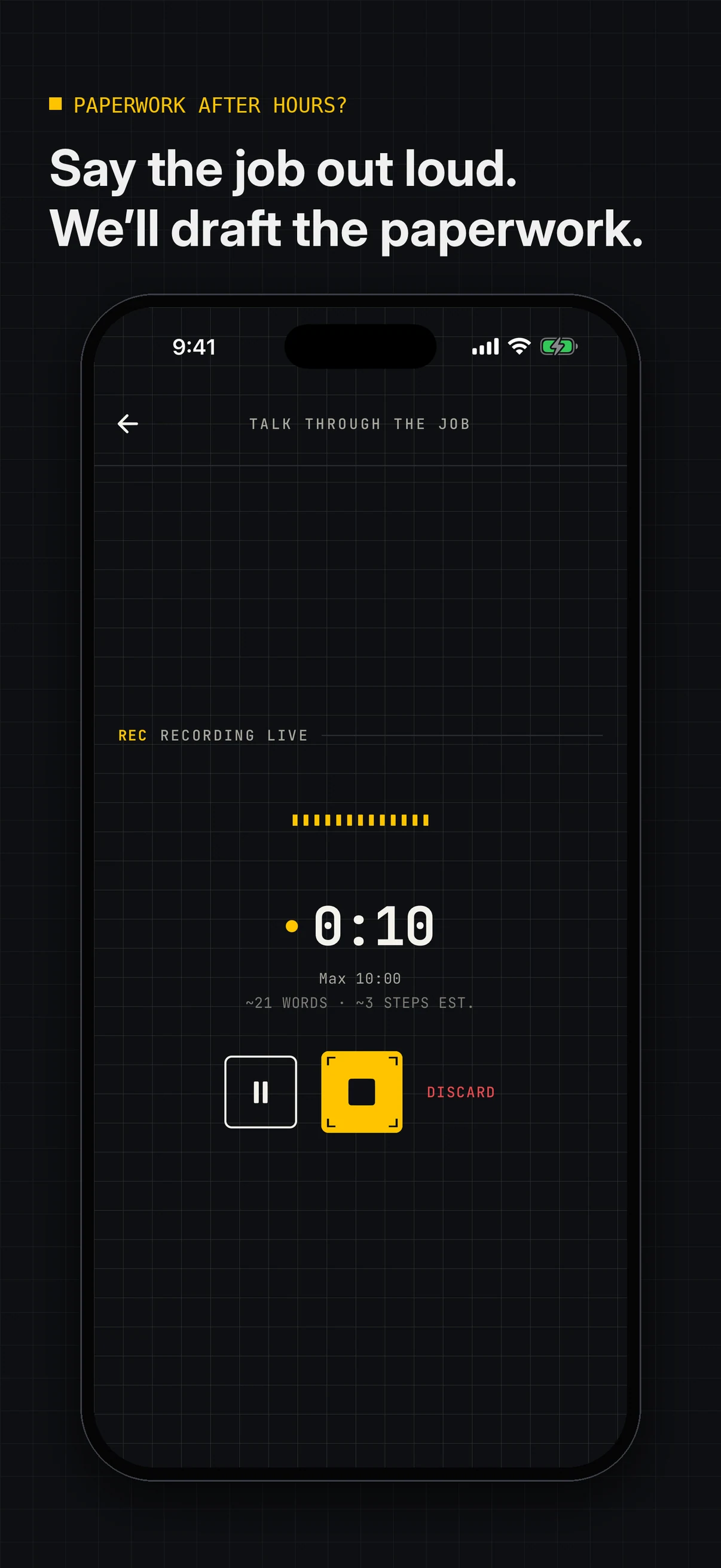
Another night of paperwork?Speak your JSA or SWMS draft.
You know the job. Start by talking it through instead of facing a blank form after a day on site. SOPmate shapes your explanation into an editable JSA or SWMS draft. Check the site details, hazards and controls, then share the document you reviewed with the crew.
- Less starting from zero
- Site details to review
- Crew-ready checklists
Start free: 3 AI documents and 1 PDF export per calendar month (UTC). No account needed for one guest document.
AU / REVIEW BEFORE USE
AI helps start the draft. Have a competent person check it against the job, site and applicable requirements before use.
A JSA does not replace a required SWMS. Check your state, task and site requirements.
Regional terminology and guidance
JSA for the task. SWMS for applicable high-risk construction work. They aren't interchangeable.
Check the requirements for your state, task and site before work starts.
Questions? support@sopmate.ai
START WITH THE JOB
Your site knowledge. A draft you can work with.
02 / FROM VOICE TO FIELD
Less blank-page admin. A clearer plan for the crew.
A generic form doesn't know your site. Start with your own walkthrough, fill in the missing details and turn the reviewed draft into something the crew can use.
Say the job, not another admin shift
Talk through the work to start a JSA, SWMS or SOP draft. Spend your effort checking the job-specific content, not typing every first sentence.
Make the sequence easy to follow
Use a process map to work through the order of the job with the crew. Edit the sequence before turning it into an on-site checklist.
Find the details still missing
Use missing-detail prompts as a review aid for the draft. Add the task and site information that a generic starting point can't supply.
Turn the plan into a checklist
Use the document on site, not just in a folder. Tick off steps and add photos or notes as you work.
Share what the crew needs
Share the document you reviewed with view, use or edit permissions. Give the crew a common starting point instead of another loose copy.
Keep a record of the briefing
Send crew briefings and record sign-offs alongside the work. A sign-off records participation; it doesn't prove understanding or certify safety.
AI HELPS START A DRAFT. A PERSON REVIEWS THE JOB AND SITE DETAILS.
Guidance consulted: SafeWork SA: site-specific SWMS and worker consultation (opens in a new tab)From the job in your head to the steps on site.
See the real iPhone and iPad workflow: speak the job, review missing details, use a checklist, share the document and record crew sign-offs.
Explore the real app
Screens show Australian document examples. Check your state, task and site requirements; SOPmate drafts are not a compliance certification.
iPhone · 01 / 08
Speak the job
View full size Browse screenshots
Select a screen to explore it, or open the artwork at its full resolution.
04 / PRICING
Save 36% with annual.
More fieldwork. Less paperwork.
Save A$129.89 compared with 12 monthly payments. Annual works out to A$19.17/month, charged as one A$229.99 yearly payment. Subscriptions are managed through Apple.
AU / AUD STORE PRICING
APPLE SUBSCRIPTIONS
BUSINESS / BUILT FOR RECURRING WORK
Business gives you room for up to 100 documents a month, with the same drafting, checklist and crew-sharing features on monthly or annual billing. Put the app to work across recurring jobs, not just a single PDF.
FREE / TRY IT ON A REAL JOB
$0
3 AI documents and 1 PDF export per calendar month (UTC). One guest document is available without an account. Free PDFs include a SOPmate footer.
BUSINESS / BEST VALUE ANNUAL
Compare annual billing with 12 monthly payments. Manage or switch in your Apple account.
Business Annual / AUD STORE PRICE
BEST VALUE · ANNUAL SAVINGS
Save A$129.89 · 36%
A$19.17/month equivalent, compared with A$359.88 for 12 monthly payments. Charged upfront as A$229.99 per year.
AUD / year · billed annually
INCLUDES UP TO 100 DOCUMENTS PER MONTH
100
documents / month
Crew
share & sign-off
BUSINESS INCLUDES
Up to 100 documents each month
Voice-led document drafting
Process maps & missing-detail review
On-site checklist with photos
Team sharing and crew sign-off
PDF export for field use
Prices above are in AUD for the Australia storefront. Local pricing and purchase terms are confirmed in the App Store.
Subscriptions automatically renew unless cancelled through Apple. Review every AI-generated draft against the task, site procedures and applicable safety requirements before use. SOPmate does not certify safety documents.
WHO IT’S FOR / FIELD & REPEAT WORK
For the people who plan the job and do the work.
For contractors juggling site work and paperwork, supervisors getting a crew ready, and small teams that need a repeatable way to do the job.
Get the job out of your head and onto the page.
Talk through the task to start a draft, then check the site details before sharing the version you reviewed.
Make the steps easier to walk through together.
Shape the sequence with a process map, share the reviewed document and use a checklist while the crew works.
Give repeat work a method the team can use.
Talk through a repeatable process, organise it into an SOP draft and turn useful steps into checklists for handoffs and onboarding.
Practical reading
A clearer starting point for job safety paperwork
Frequently Asked Questions
Practical answers for using SOPmate in Australia
Can SOPmate help with JSA or SWMS paperwork?
Yes. Explain the job to start an editable JSA or SWMS draft rather than a blank form. JSA for the task. SWMS for applicable high-risk construction work. They aren't interchangeable. Check the requirements for your state, task and site before work starts. Check the actual task, hazards and controls with a competent person before use. The app does not certify compliance.
Do I have to type the process out?
No. Start by speaking the job in your own words. SOPmate structures a draft so you can focus on checking the steps, hazards and controls instead of typing every first sentence. Edit and reorder the draft before sharing or exporting.
How do I send a document?
After reviewing your draft, export a PDF or share the document and add it to your existing pre-task pack. The free plan includes 3 AI documents and 1 PDF export per calendar month (UTC).
Can I find and reuse a similar job?
Your documents are saved in a searchable library, so you can start from an existing process instead of writing from scratch. Review and edit it for the current task, equipment, conditions and site. Reusing a document without checking what's changed is not a substitute for a fresh review.
Does SOPmate replace a competent person or compliance advice?
No. AI-generated documents are drafts. A competent person must check the content for the actual task, site conditions, applicable regulations and your organisation’s requirements before it is signed or used.
How does SOPmate help the crew use the plan?
Share the reviewed document with view, use or edit permissions. Use process maps to discuss the order of work, checklists with photos or notes on site, and crew briefings with sign-off records. A sign-off records participation, not proof of understanding or compliance. Anyone with a briefing link can view it; check who you share it with.
Can I try it on a real job before subscribing?
Yes. Try one guest document without creating an account. The free plan includes 3 AI documents and 1 PDF export per calendar month (UTC); free PDFs include a SOPmate footer. Use your own job, review the draft and decide whether the workflow helps your team.
What value does Business add for recurring work?
Business includes up to 100 documents each month, with voice drafting, process maps, missing-detail review, checklists with photos, team sharing and briefing sign-offs. Monthly and annual billing unlock the same Business features. Annual costs less than 12 monthly payments; local prices, trial eligibility and purchase terms are confirmed by Apple.
Share Your Feedback
Help us improve SOPmate with your ideas and suggestions
Australia / JSA & SWMS drafts
Start your JSA or SWMS. Not another night from scratch.
Pick one real job. Talk it through, review the draft and put it to work with the crew. Start with one guest document without creating an account.


iPhone and iPad. Not on iPhone? Email support@sopmate.ai to hear about Android.